
Interactive Materials
OneTutor’s interactive viewer lets you ask questions and jump instantly to the right document and page. With the viewer, simply highlight any PDF passage to start a context-aware discussion and resolve doubts on the spot.

January 27, 2026
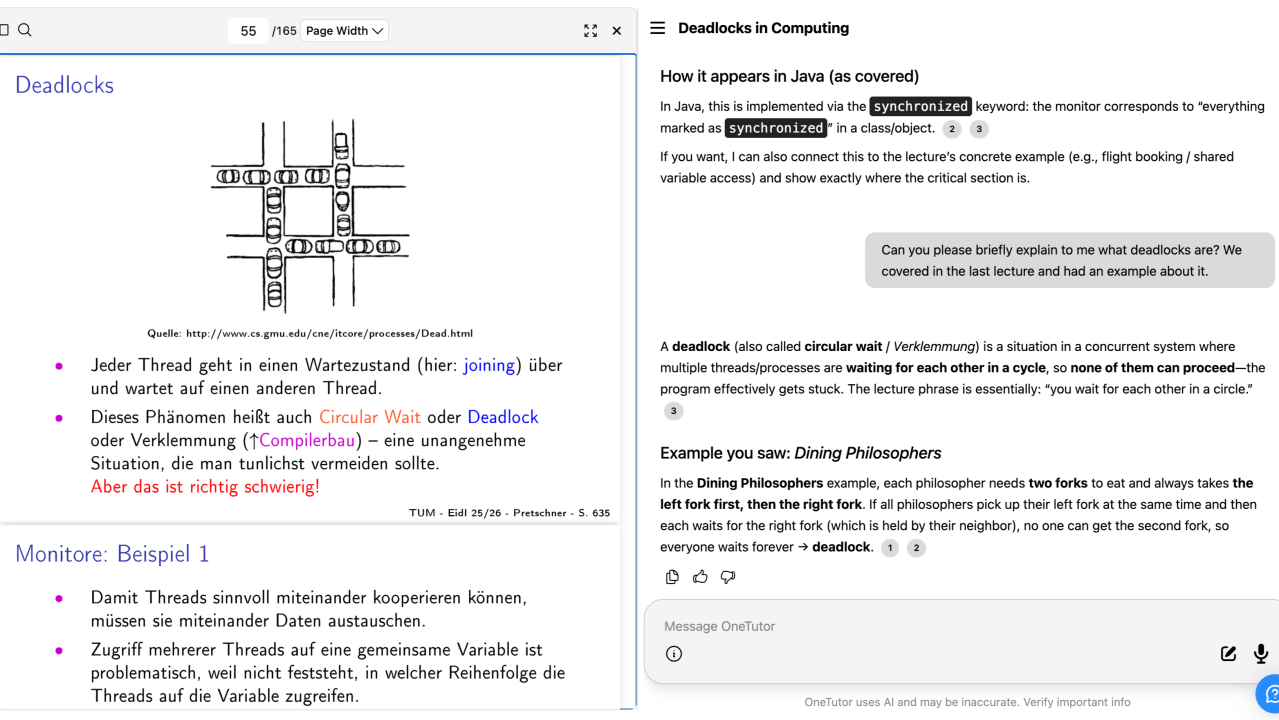
Interactive learning materials
You can now interact directly with your PDF learning materials ✨ Highlight a passage while reading and ask a question in the chat to get an explanation right away, without losing context or interrupting your learning flow. The tutor answers based on the exact section you are looking at, so the discussion happens exactly where the question comes up.
Ask and jump straight to the right place
Looking for a specific piece of information but not sure where it is? Ask OneTutor. The tutor searches your materials, finds the relevant page or slide and opens it for you. From there you can ask follow-up questions and go deeper into the topic.
Continuous understanding instead of skipping ahead
With the Material Viewer, learning becomes more continuous and precise 🚀. Students no longer have to skip unclear sections to keep moving. Questions are resolved on the spot, which makes progress smoother and understanding deeper.