
OneTutor Updates
See the latest OneTutor feature releases, product improvements, and bug fixes.

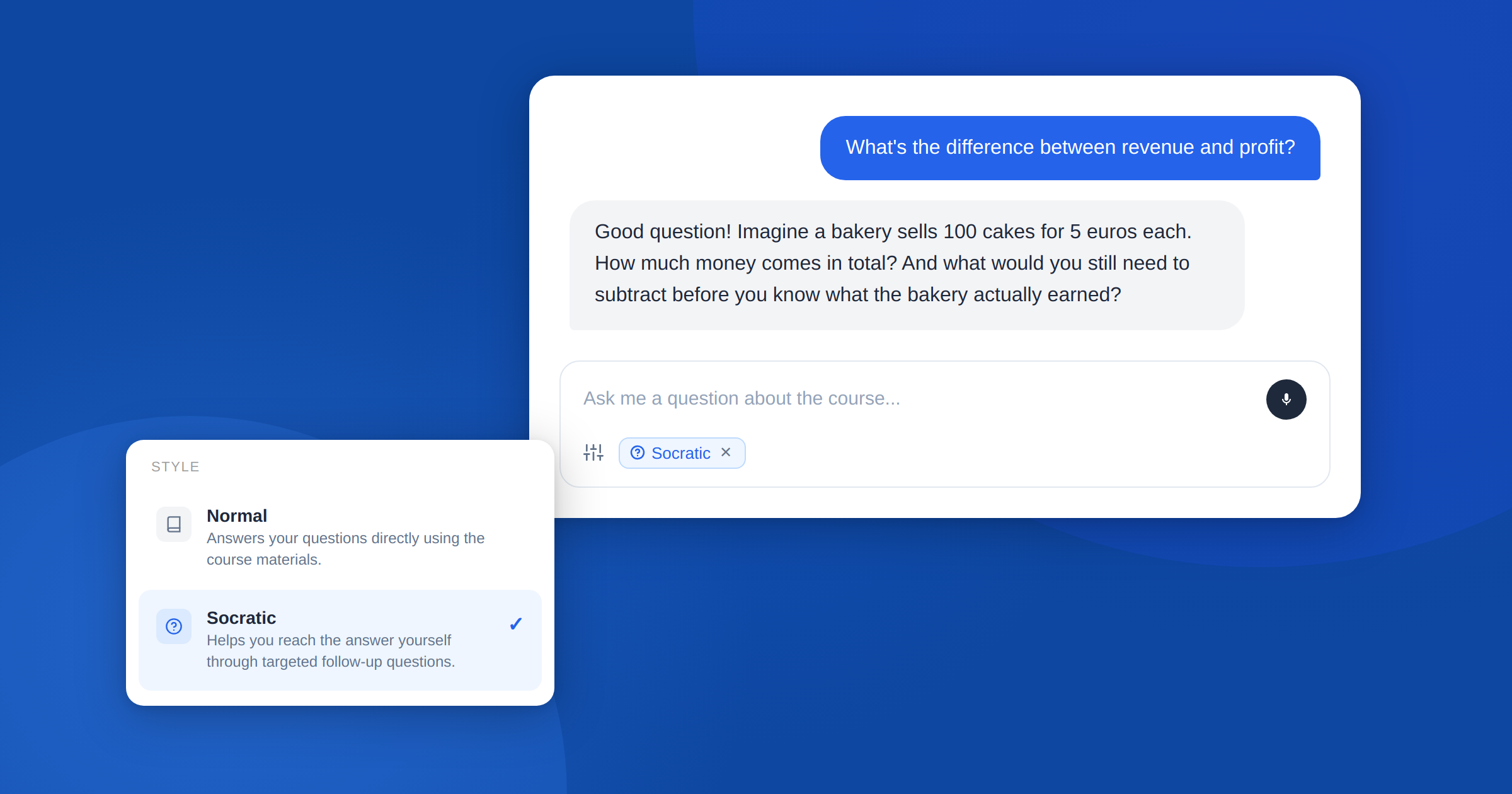
Learners now have access to a Socratic Tutor, an AI-powered guide that doesn't give answers but helps them truly understand the material through guided dialogue.

OneTutor now features a completely reimagined course homepage with chat at its center. Instructors can switch between the Learner view and the Course Manager view, while Learners can start conversations directly from within course materials.
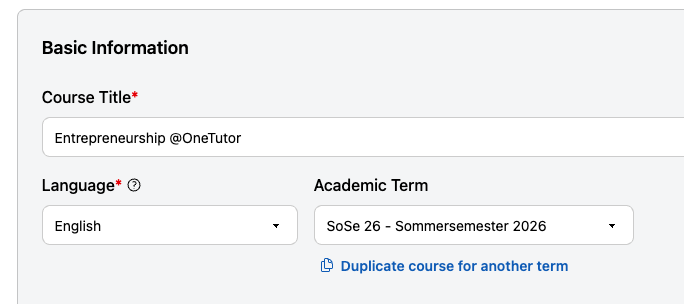
Instructors can now assign courses to specific semesters. This helps organize courses by cohort, compare statistics across terms, and reuse courses as they evolve over time.
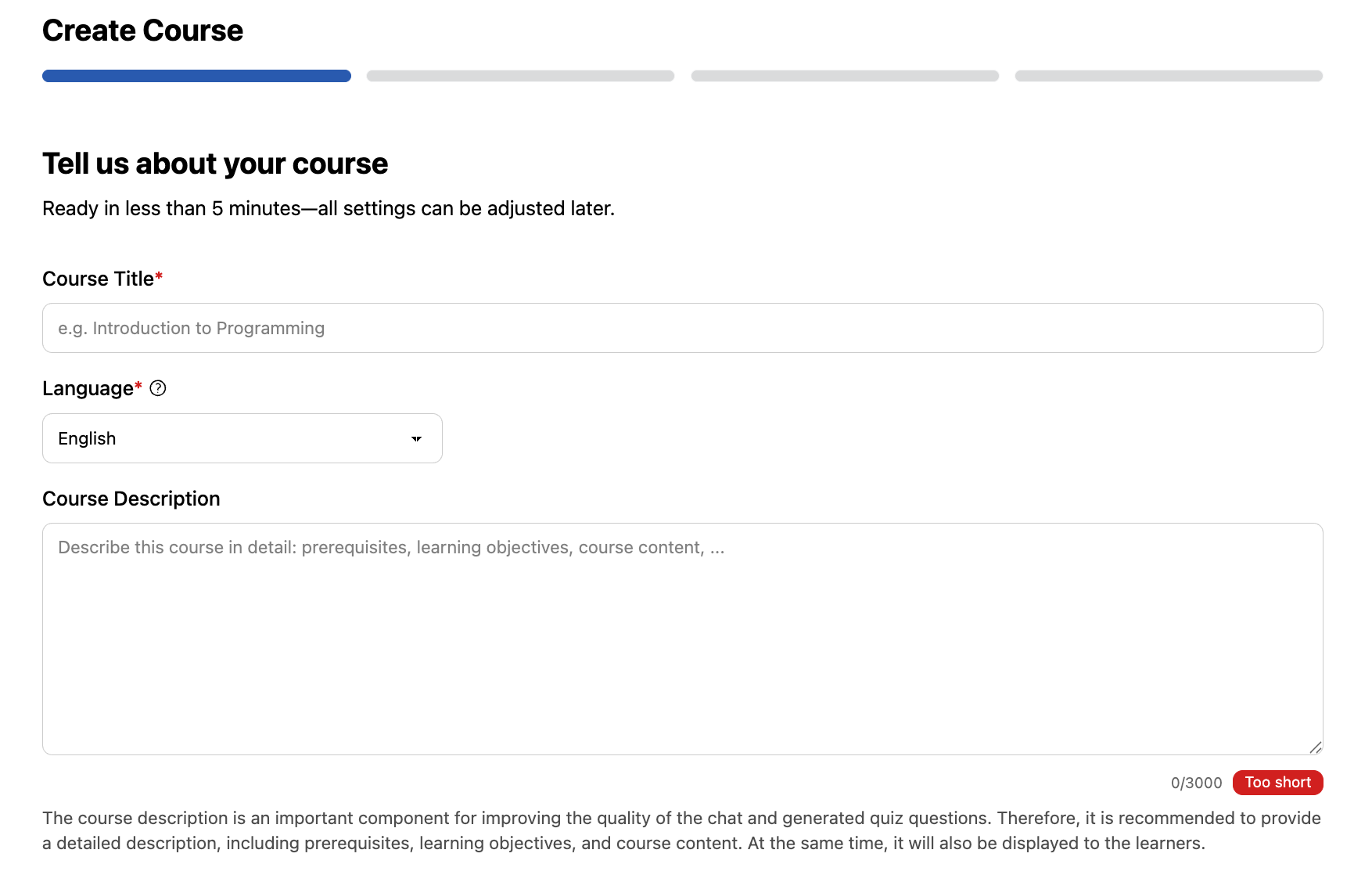
Creating a new course is now easier. Instructors are guided step by step through the key settings needed to configure their AI Tutor and course setup.

Instructors can now use real interaction data to fine-tune their quiz questions and ensure every question perfectly meets their teaching goals.
.png)
OneTutor’s interactive viewer lets you ask questions and jump instantly to the right document and page. With the viewer, simply highlight any PDF passage to start a context-aware discussion and resolve doubts on the spot.
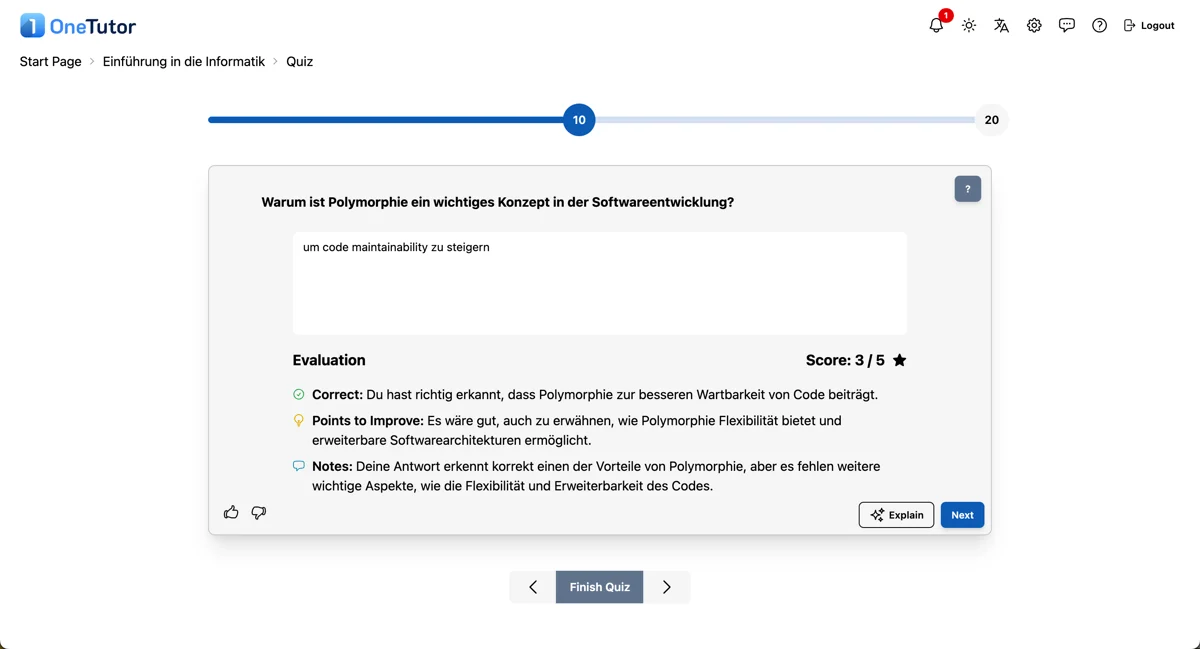
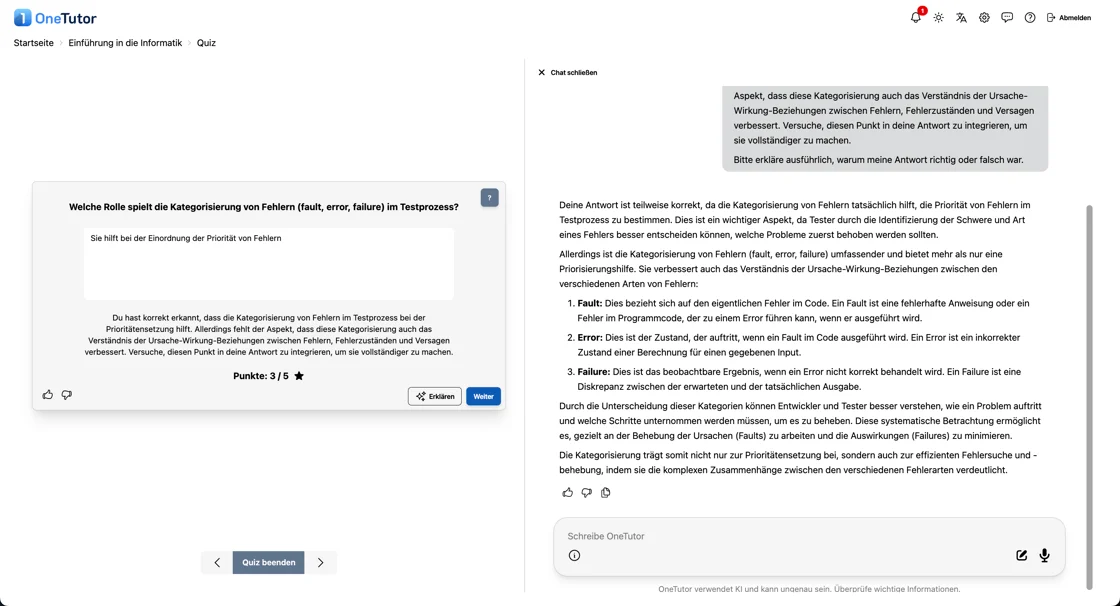
Get instant feedback and AI powered explanations for every quiz question, so learners understand mistakes immediately and can dig deeper right after answering.

Get updates and insights from OneTutor
No spam. Unsubscribe anytime. We respect your privacy.

Product updates
Research insights
AI in education