

Introducing an AI Tutor in your course: what works

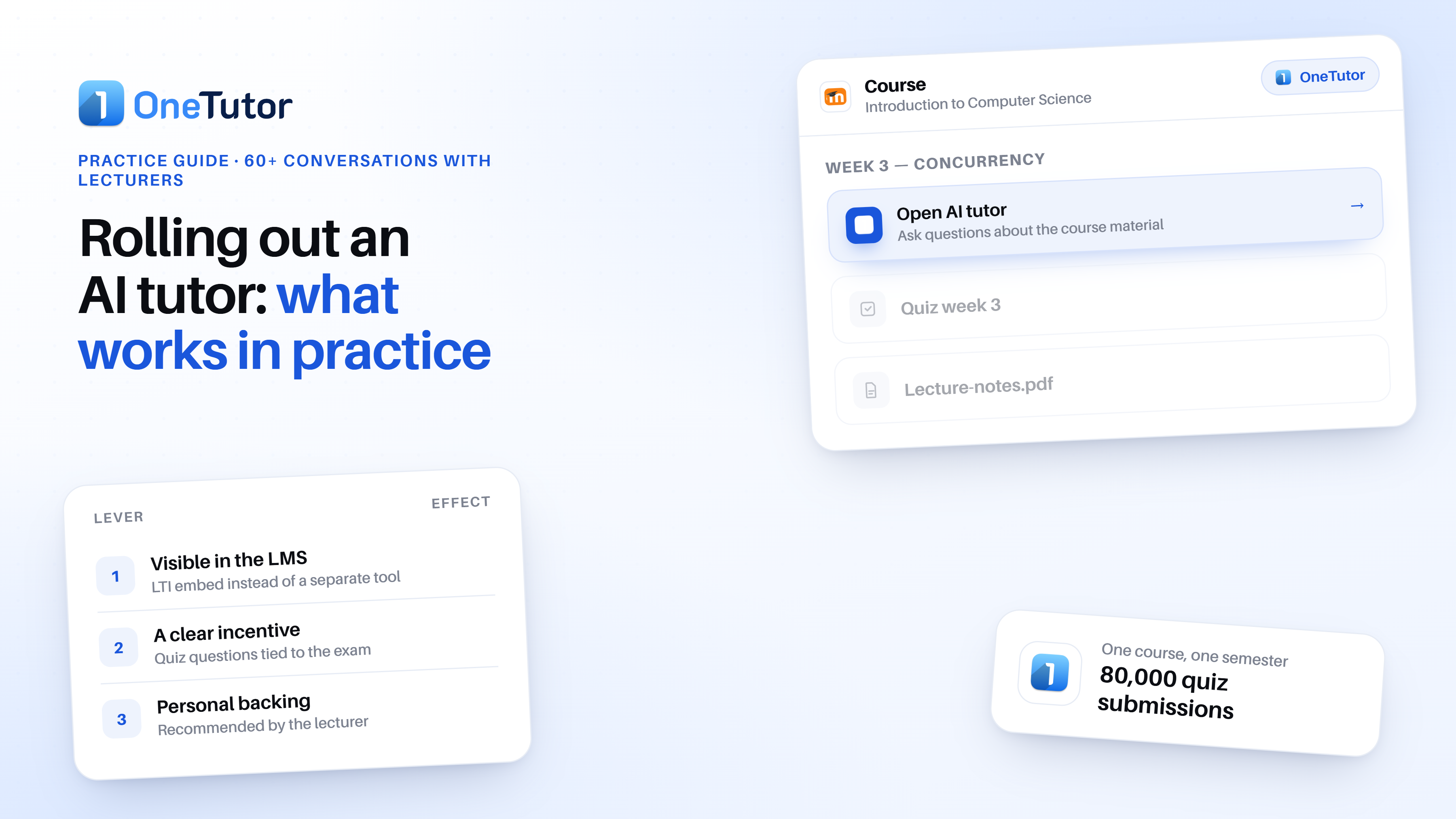

Two courses at the same university use the same AI tutor in the same semester, yet in one almost every student signs up, works through weekly quizzes and asks questions about the material, while in the other it stays quiet and many never even register. Although the tool is identical, the difference lies in the rollout. This pattern runs through more than 60 conversations we held with lecturers over the past academic year: Whether an AI tutor lands in a course depends not only on the technology, but also on a few decisions about embedding, incentive and communication. This piece sums up what worked in practice and where the honest limits are; as the provider, we cannot be neutral here.
Why many courses barely use the AI tutor
An active rollout decides, not the tool
Across all the conversations, the clearest pattern is not technical but lies in how a course introduces the tutor. Lecturers who place it visibly in the Learning Management System (LMS) and mention it actively in the lecture reach markedly higher use. Without that anchor, it stays quiet: in some courses, fewer than half of students signed up when there was no active introduction
For lecturers this means: the work on adoption does not start in the tool but in the lecture hall and the LMS course room, because a tutor that nobody mentions and students have to hunt for is simply overlooked.
The pattern: use only just before the exam
Several lecturers describe the same picture: sporadic cramming just before the exam rather than continuous support across the term. This behaviour is unlikely to change overnight, but lecturers can deliberately soften it by releasing materials alongside the course schedule and adding matching quizzes step by step.
What a rollout does not deliver
Being honest is part of it, because a noticeable drop in emails and follow-up questions is not automatic. Some lecturers report less workload, while others report no change at all, depending strongly on the subject and the cohort. An AI tutor is good at answering students' questions about the course material at any time, but it is less reliable as a blanket promise to reduce teaching workload. Introducing it with realistic expectations therefore leads to fewer disappointments.
Three levers that genuinely increase use
Three levers surface again and again in the conversations. None of them is costly, yet they are often overlooked.
Lever 1: Embed it visibly in the LMS
The most common friction is the media break: a separate tool that has to be opened on the side and materials that have to be maintained twice. When the tutor sits directly in the LMS, for example via an LTI connection to Moodle, the hurdle drops noticeably because students meet it where they already are.
Good if students already organise their course routine in Moodle, because then the tutor reaches them in the right place. We describe how such an embedding works technically in our article on Moodle LTI integration.
Lever 2: Set a clear incentive
The strongest lever in practice is a clear incentive. In one course at LMU , the lecturer announced that one of the 100 quiz questions created in the tutor would appear in the exam. Use then rose to more than 80,000 quiz submissions in a single course. A self-assessment pre-test or a small grade bonus for participation work reliably too.
Behind this sits a well-documented learning effect: Active retrieval, that is answering questions, improves long-term retention more than repeated reading, especially when time passes between learning and recall. Roediger and Karpicke summarised this testing effect back in 2006. An incentive that moves students to quiz regularly is therefore not just an adoption trick but pedagogically sound.
What matters is what the incentive points at, because unfettered AI access can even worsen learning. In a study by Bastani and colleagues (2025), students with free access to a standard chatbot scored 17% lower on the subsequent exam because they used the AI as a shortcut to the answer. With guardrails that give hints instead of finished solutions, that effect disappeared. This is exactly where a course-bound tutor differs: Its answers rest solely on the uploaded course materials, while curated quiz questions prompt thinking rather than copying.
Lever 3: Anchor the tutor personally
The third lever is personal backing from the lecturer, because acceptance rises where the tutor is actively recommended. Some lecturers give it a name and a small role, for instance as the first point of contact students ask before turning to the chair. This small staging lowers the barrier and turns an anonymous tool into a fixed part of the course.
Rolling out an AI tutor: the semester plan
From the three levers, a simple sequence across the semester follows.
Before the semester: set up the course in about an hour
First, upload materials, generate quiz questions and curate them. The first usable state is often reached in about an hour, while individual quizzes take minutes to create, even on a phone. The most important step in this phase is curation: review the generated questions once and remove weak ones, so the quality is right from the start. Ideally, quiz questions for all topics are already created during this phase, so they can be published later at the right time.
Start of term: introduce and anchor
Now the levers pay off: Link the access visibly in the LMS or even easier: with LTI, introduce the tutor briefly in the first lecture, announce an incentive where possible and give it a name if useful. The goal is that everyone in the course knows the tutor exists and what it is good for.
During the term: release weekly, use the gaps
To ease the pre-exam cram, it helps to release content and quizzes weekly, as many lecturers already do when uploading new materials: whenever new content is added, matching quizzes can be published alongside it. The usage and chat data also show where students get stuck, allowing these signals to be picked up in the next lecture.
What if students barely use it?
Low use is usually not a sign of disinterest but of a missing rollout, with a missing link in the LMS being the most common blind spot. A visible access point, a short announcement and an incentive turn this around in many courses.
Does the AI tutor really save lecturers time?
Sometimes yes, sometimes no: For creating quiz questions, several lecturers report real time savings, while the picture for follow-up questions and emails is mixed. The more honest expectation is that the tutor mainly supports students' learning and that time savings for the lecturer are a possible but not guaranteed side effect.